Simply uninstall OMEN Gaming Hub!
Recently, while playing Delta Force, I've been experiencing a frame rate drop to around 30 FPS for about two minutes every 20 minutes or so, making it almost unplayable. I've followed tutorials to fix my graphics card driver version. 560.94 The problem persisted. Using GPU-Z and Task Manager, the stuttering occurred as follows: GPU clock frequency plummeted, GPU utilization increased to nearly 100%, and PerfCap Resson (GPU performance limiting factor) indicated "Idle." Finally, I checked... this post A solution was later found.
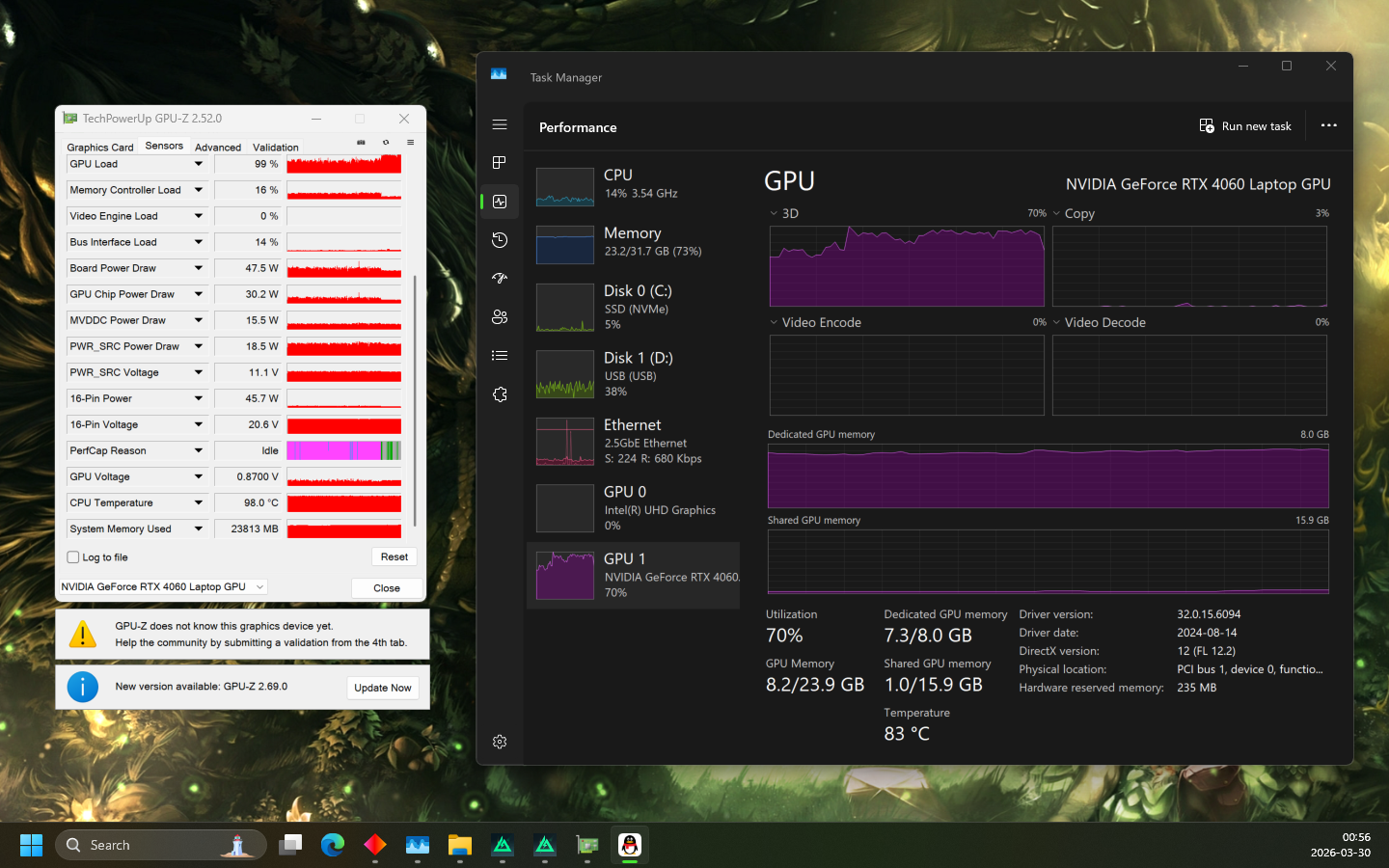
The solution is stated in the first sentence of this article, but after uninstalling OMEN Gaming Hub, you will completely lose control over your computer's power plans and fans. In this case, you only need to install a third-party solution. OmenSuperHub This should solve the problem. Also, given the Omen's cooling design, it is recommended to set the fan speed to 4800 RPM – 6400 RPM, CPU power to 50W, and GPU frequency to 2200MHz when playing games like Delta Force.
Finally, it is speculated that the cause of this problem is that the OMEN Gaming Hub does not limit the performance of the CPU and GPU by default. However, given the cooling design of the OMEN, the computer temperature rises rapidly. At this point, the OMEN Gaming Hub detects the problem and significantly limits the power consumption of the CPU and GPU to quickly lower the computer temperature. After a few minutes, when the temperature reaches a sufficiently low level, the process repeats itself.